Get Started
Two ways in: paste directly in the browser, or call the API from your code.
Scope
The detector is built for English natural-language responses from large language models — the kind of free-form text an LLM produces when answering a question or generating prose. Source code, structured output (JSON, XML, tables), and non-English text are outside the trained range and may produce unreliable scores. See Performance for the regimes covered.
Detect in your browser
Go to the detector, paste an LLM response, and click Go. No setup required. See Pricing for usage limits and plans.
Quick start
- 1.Open the detector →
- 2.Paste any LLM response into the text box
- 3.Click Go
- 4.Read the verdict, score, and hallucination type
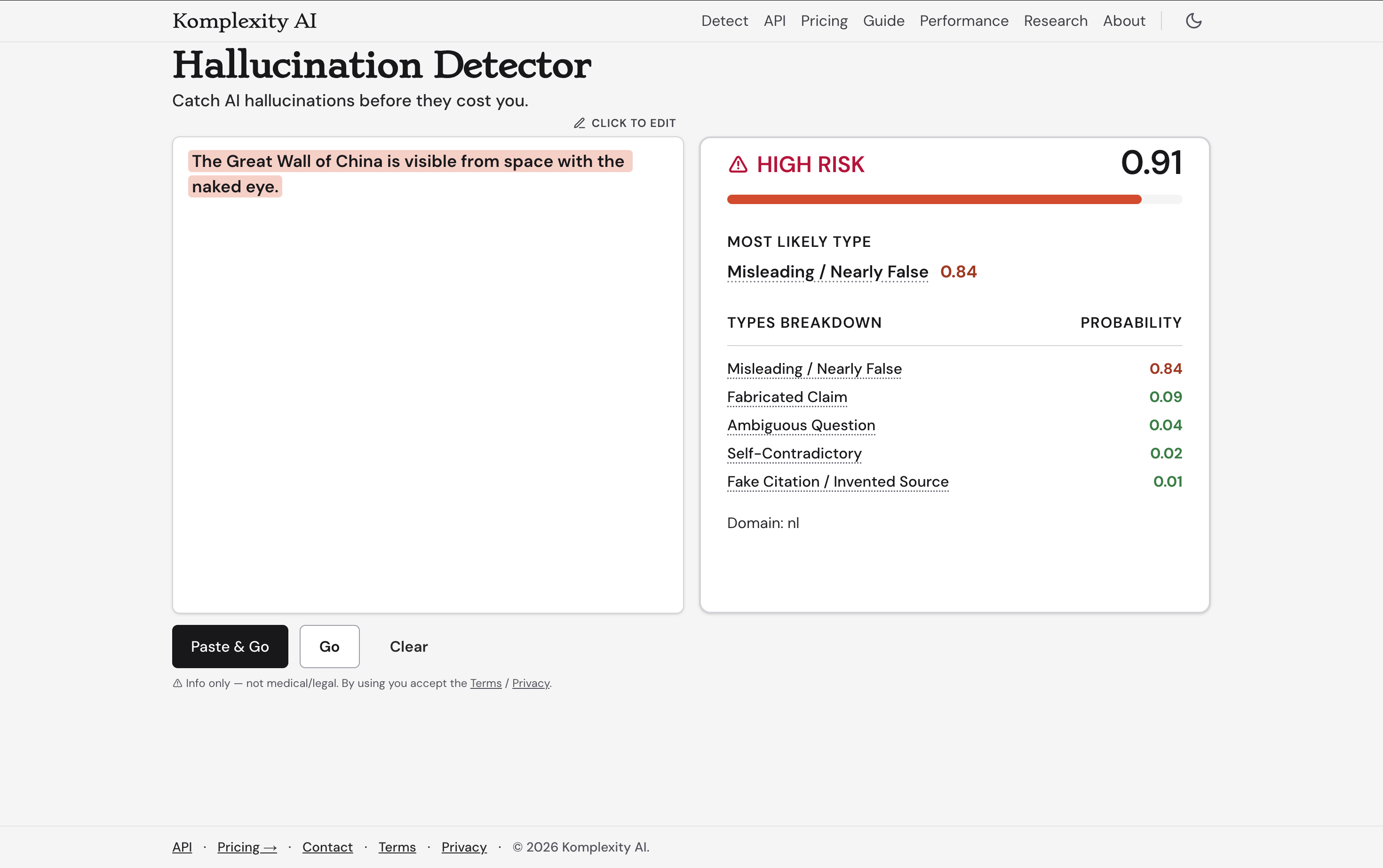
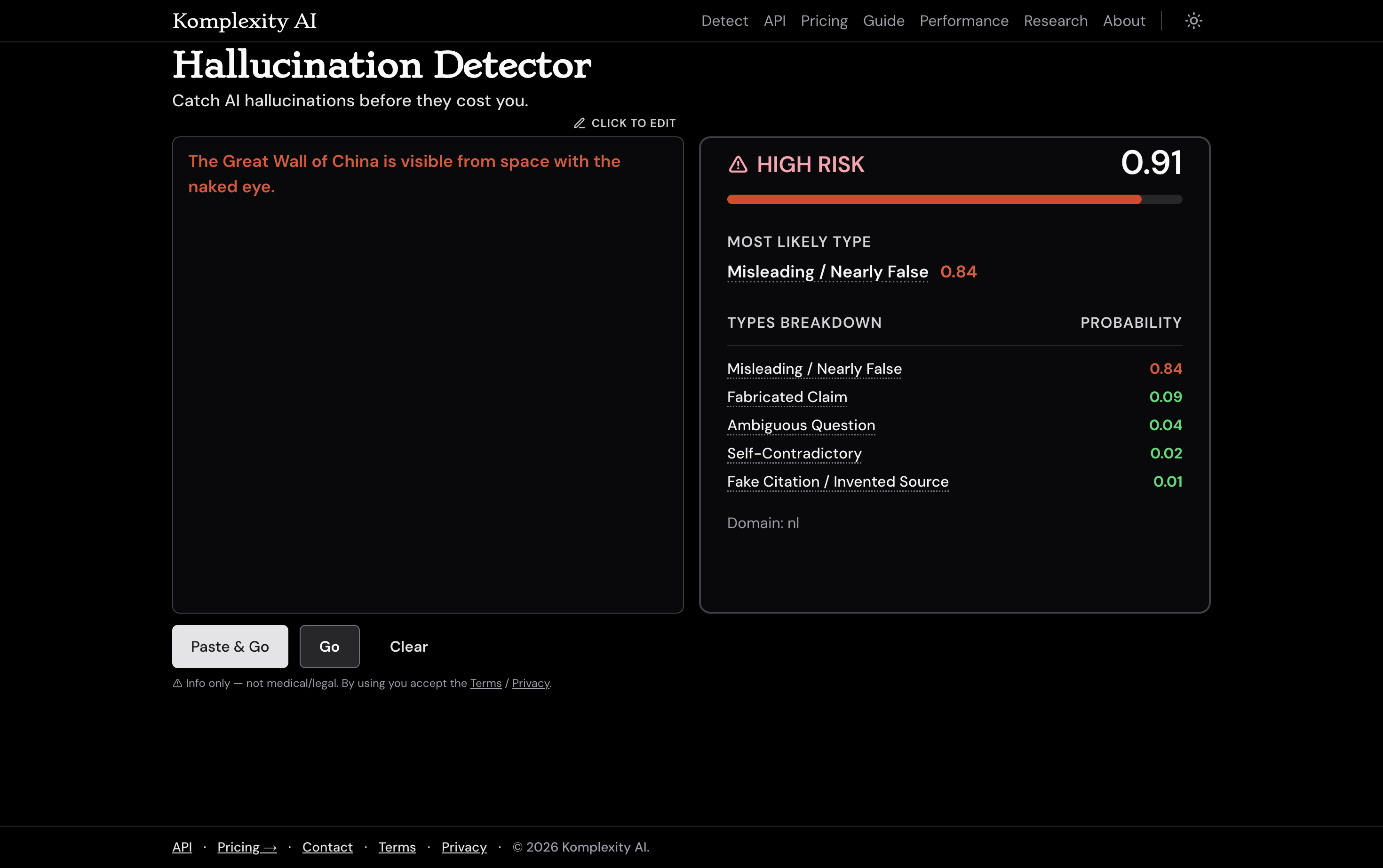
Short response — verdict, score, and top regime.
Interpreting the result
| Verdict | Score | What it means |
|---|---|---|
| LOW | < 0.5 | Model is likely staying close to what it knows |
| MODERATE | 0.5 – 0.8 | Worth a closer look; uncertain territory |
| HIGH | ≥ 0.8 | Strong signal of hallucination — verify before using |
The regime is the most likely hallucination pattern — e.g. FABRICATED, CF_AUTH, NEAR_FALSE. See Performance for the full taxonomy.
FAQ
What do the colors mean?
Green = LOW, amber = MODERATE, red = HIGH probability of hallucination.
Do I need to include the prompt?
No — response-only mode works out of the box. For higher accuracy, paste the original prompt using the + Prompt button (web) or pass the prompt field (API). Prompt+response mode is recommended for API use since the original prompt is always available in automated pipelines. Prompt + response together must be ≤ 2,048 characters; each call is 1 detection.
Is my text stored?
Text you paste is sent to our API for detection and is not stored or used for training.
Does it work on output from any LLM?
Yes — it detects hallucination patterns in the response text itself, independent of which model produced it. The detector is built for English natural-language responses; code and non-English text are outside the trained range.
More questions? See the full FAQ →
Use the API in your code
One POST request returns a calibrated probability score, a boolean flag, and the top hallucination type. Full schema at /api-docs.
How to read the result
p_hallucination(0–1) is how likely the text contains a made-up or wrong “fact” — higher means more suspect. Use flag for a ready-made yes/no, or set your own threshold on the score. top_regime is the kind of error: FABRICATED (invented facts), NEAR_FALSE (misleading but technically true), CF_AUTH (fake or misattributed citations), FALSE_REFUSAL (refusing a reasonable request), NORMAL (clean), or Other.
Quick start
- 1.pip install halu
- 2.Sign up with Google (no credit card); then create a key: avatar → Manage account → API keys (or /account/keys)
- 3.Set it in your environment: export HALU_API_KEY=sk_...
First-call warm-up (free tier)
The detector scales to zero when idle — that's how we keep the free tier free. The first request after a quiet period warms up the model and can take ~10–30 seconds; subsequent requests are fast (sub-second). If a first call times out or returns a 503, wait a few seconds and retry. This is current free-tier behavior and improves as usage grows.
Hello world
Sign up to get a free key (no credit card). Once signed in, keys live at /account/keys.
# export HALU_API_KEY="your_key_here"
import halu

result = halu.detect("The Eiffel Tower was built in 1789 by Napoleon Bonaparte.")
print(result.flag, result.p_hallucination, result.top_regime)
# example output: True 0.81 FABRICATEDBranch on the calibrated probability
Use result.p_hallucination (calibrated 0–1) to route into your own action bands. The thresholds below are illustrative; pick cutoffs that match your false-positive vs false-negative tolerance.
import halu

result = halu.detect(llm_response)

if result.p_hallucination >= 0.65:
    # strong signal — block or flag before it reaches users
    pass
elif result.p_hallucination >= 0.35:
    # uncertain — show a caveat or route to human review
    pass
else:
    # low — proceed normally
passRaise on detection
Hard gate — fail fast if the detector's calibrated flag is true (server-side threshold crossed).
import halu

result = halu.detect(llm_response)
if result.flag:
raise ValueError(f"Hallucination detected: {result.top_regime} (p={result.p_hallucination:.2f})")Common patterns
Three small helpers wrap detect() for the most common usage patterns. These are example patterns, not a closed framework — the library stays small intentionally.
Pattern 1: Gate output
Raise an exception when a response is flagged at or above a threshold. Use when you want to stop bad output from being returned at all.
from halu import detect_or_raise, HaluHallucinationFlagged

try:
    result = detect_or_raise(llm_response, threshold=0.5)
except HaluHallucinationFlagged as e:
    answer = "I'm not sure — please verify with an expert."
# e.detection_result has p_hallucination, top_regime, etc.Pattern 2: Monitor in production
Log a warning when a response looks risky, but always return it. Use when you want monitoring/telemetry but no enforcement.
from halu import detect_or_warn

result = detect_or_warn(llm_response, threshold=0.4)
if result.flag:
    ui.show_banner(f"Verify this — detector p={result.p_hallucination:.2f}")
ui.show(llm_response)Pattern 3: Auto-regenerate hallucinated responses
Call your LLM, run detection, retry up to max_retries times if flagged. With feedback_detail="regime" (the default), the retry tells the LLM whythe prior response was rejected — e.g. "flagged as FABRICATED, avoid inventing facts that cannot be verified."
from halu import regenerate_until_clean, HaluRegenerationExhausted

def ask_llm(prompt: str, feedback: str | None = None) -> str:
    messages = [{"role": "user", "content": prompt}]
    if feedback:
        messages.append({"role": "system", "content": feedback})
    return openai_client.chat(messages)

try:
    response, result, history = regenerate_until_clean(
        ask_llm,
        prompt="Who built the Eiffel Tower?",
        max_retries=2,
        acceptance_threshold=0.5,
        feedback_detail="regime",   # "regime" | "binary" | "none"
    )
except HaluRegenerationExhausted as e:
    # e.history is [(response, result), ...] across every attempt
    best = min(e.history, key=lambda pair: pair[1].p_hallucination)
response = best[0]Need something else? Call detect() directly and build your own pattern.
import halu

result = halu.detect(llm_response, prompt=llm_prompt)
# build your own logic on result.p_hallucination / result.top_regimeRequest parameters
| Field | Type | Required | Description |
|---|---|---|---|
| response | string | yes | LLM response text to evaluate |
| prompt | string | no | Original prompt sent to the LLM. Recommended for API use — enables prompt+response mode, which gives higher accuracy. Omit for response-only mode. Prompt + response together must be ≤ 2,048 characters; each call is 1 detection. |
| top_k_regimes | int | no | Number of regime scores to return (default: 6) |
Example response
{
  "p_hallucination": 0.73,
  "flag": true,
  "top_regime": "FABRICATED",
  "regime_scores": [
    {"regime": "FABRICATED",    "p": 0.61},
    {"regime": "CF_AUTH",       "p": 0.18},
    {"regime": "NEAR_FALSE",    "p": 0.09},
    {"regime": "NORMAL",        "p": 0.06},
    {"regime": "Other",         "p": 0.05},
    {"regime": "FALSE_REFUSAL", "p": 0.01}
  ],
  "request_id": "req_a1b2c3d4e5f6a7b8",
  "detections_billed": 1,
  "mode": "short",
  "latency_ms": 210,
  "model_version": "nl-v1",
  "calibrator_version": "platt-v3",
  "input_mode_used": "pr",
  "task_used": "multiclass",
  "warnings": []
}Reading the full result
Every field, with comments.
import halu

result = halu.detect(llm_response)

print(result.flag)               # bool  — True if calibrated threshold crossed
print(result.p_hallucination)    # float — calibrated probability 0–1
print(result.top_regime)         # str   — most likely hallucination type

for r in result.regime_scores:   # ranked type probabilities (up to 6 at v1)
    print(f"  {r.regime}: {r.p:.2f}")

print(result.request_id)         # str   — server-minted ID for log correlation
print(result.detections_billed)  # int   — billing units consumed (1 at v1)
print(result.mode)               # str   — "short" (single-pass) or "long"
print(result.latency_ms)         # int   — server-side inference time
print(result.model_version)      # str   — detector build identifier
print(result.calibrator_version) # str   — calibrator identifier
print(result.input_mode_used)    # str   — "pr" (prompt+response) or "ro"
print(result.task_used)          # str   — "binary" or "multiclass"

if result.warnings:
print(result.warnings) # list — e.g. ["quota_80pct"]Response fields
| Field | Type | Description |
|---|---|---|
| p_hallucination | float 0–1 | Calibrated probability of hallucination |
| flag | bool | True if p_hallucination crossed the calibrated server-side threshold |
| top_regime | string | Most likely hallucination pattern (one of NORMAL, FABRICATED, NEAR_FALSE, CF_AUTH, FALSE_REFUSAL, or Other) |
| regime_scores | array | Top-k regimes with individual scores (up to 6 at v1, sorted desc) |
| request_id | string | Server-minted ID; echoed on the X-Request-Id response header |
| detections_billed | int | Detections consumed by this call (1 at v1; future long-doc calls may be >1) |
| mode | string | "short" (single-pass) — long-document mode is planned for a later release |
| latency_ms | int | Server-side inference time in ms |
| model_version | string | Detector build identifier — useful when filing bug reports |
| calibrator_version | string | Probability calibrator identifier (Platt fit version) |
| input_mode_used | string | "pr" (prompt + response) or "ro" (response only) — which detector head was used |
| task_used | string | "binary" or "multiclass" |
| warnings | string[] | Advisory messages — see below. Empty array if none. |
Responses may carry advisory warnings codes (quota, calibration, and subscription state). See the API reference for the full, current list and forward-compatibility rules.
curl
curl -X POST https://api.komplexai.io/api/detect \
  -H "Authorization: Bearer $HALU_API_KEY" \
  -H "Content-Type: application/json" \
-d '{"response": "The Eiffel Tower was built in 1789 by Napoleon Bonaparte."}'Billing & usage units
One detection-unit is one short check on an LLM response of up to 2,048 characters (input = response plus the original prompt, if provided). At v1 every API call is one unit, so your monthly quota is the number of detections you can run. Long-document detection is planned for a later release; at that point a single call may consume multiple units, billed per ~2,048-character processed window.
Every response carries usage headers so you can track spend programmatically:
| Header | Meaning |
|---|---|
| X-Detections-Billed | Detections consumed by this call (1 at v1). |
| X-Quota-Remaining | Detections left in your current billing period. |
| X-Quota-Period | Current billing period (e.g. 2026-05). |
See your current period total at /account/usage. For tier limits and overage rates, see Pricing.
Caveats
- Max 2,048 characters per field. Longer inputs to the API are rejected with an
input_too_longerror (HTTP 400); the web UI clips at the limit client-side before sending. - Probabilistic output. Scores are calibrated probabilities, not ground truth. See Performance for per-regime accuracy.
- Very short inputs can over-flag. The detector works best on complete, multi-sentence responses; a single short sentence gives it little to work with and can be scored as more suspicious than it is. Give it the full response where you can.
- English natural-language only. Code, structured output (JSON, XML), and non-English text are outside the trained range — see Scope above.
- Rate limits. Free tier: 3,700 API requests/month plus 300 web-app detections/month. Higher limits via paid plan — see Pricing.
FAQ
Is the prompt field required?
No. response is the only required field. Adding prompt improves regime classification but has minimal effect on the binary score.
How do I get an API key?
Sign up to get an API key.
What are the usage limits?
Limits vary by plan. See Pricing for details.
What if I only have the response, not the prompt?
That is the typical case and works well. Pass prompt=None or omit it. The detector was trained and benchmarked primarily on response-only input.
More questions? See the full FAQ →
Have questions? See the FAQ →